Feature · Available since FireAI 0.1.0
The Threats page: what looks wrong, and why
See the handful of connections worth your attention, instead of scrolling through thousands.
Where in FireAI: Threats
What it does for you
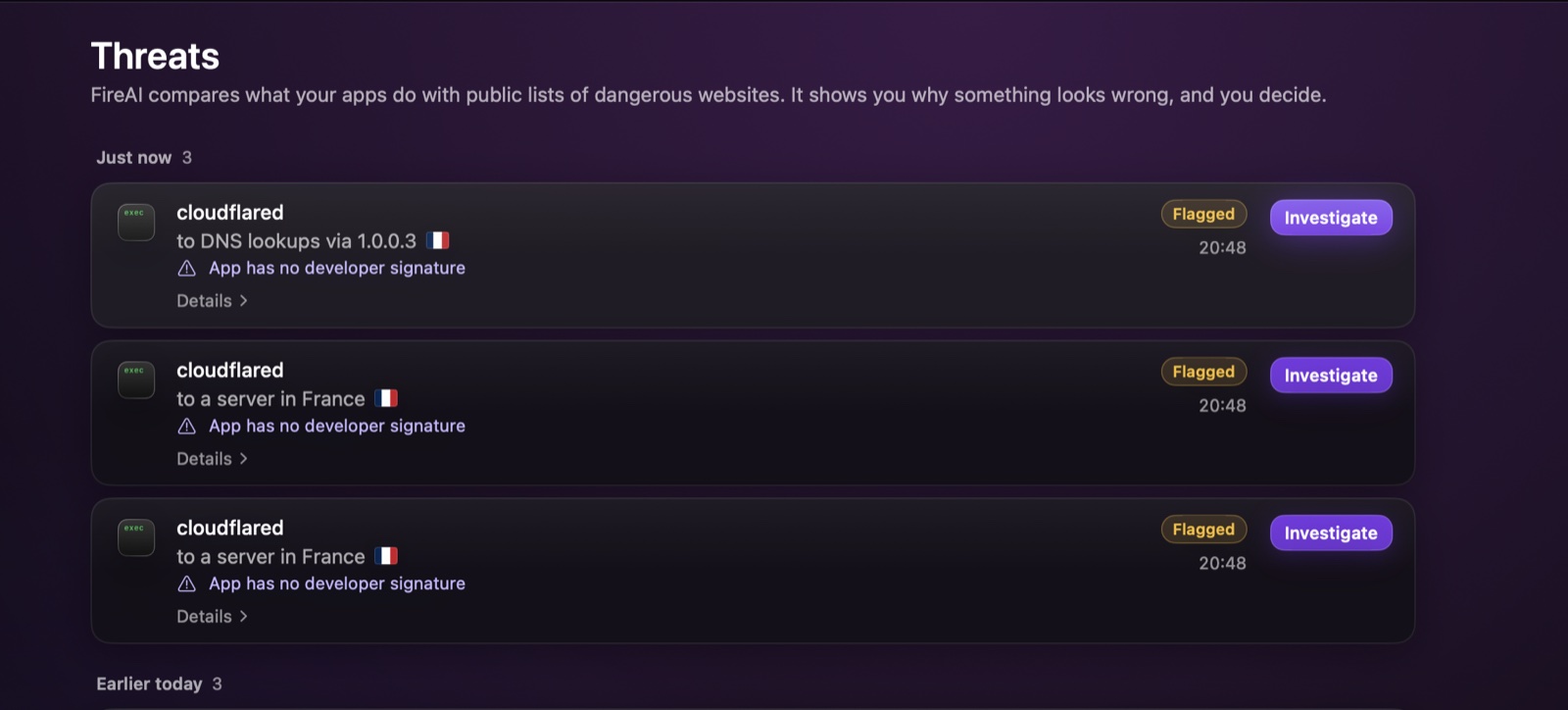
FireAI compares what your apps do with public lists of dangerous websites and with signs that often go together with trouble. Anything that stands out lands here, grouped by time (Just now, Earlier today…), with the app, where it connected, the country, and the main reason, for example “App has no developer signature”.
How it works
- Open Threats in the sidebar.
- Each row shows the app, the destination and the reason FireAI flagged it. Details shows the rest of the signs.
- Click Investigate to open the full dossier: a score out of 100, every sign that raised it, an optional AI summary, and your choices.
Good to know
Read next
Try it on your own Mac
Try every feature free for 17 days, no card needed.
30-day money-back guarantee.