Tutorial · Available since FireAI 0.1.2
See which app turns on your camera or microphone, and where its traffic goes
Know which app can see or hear you, not just that something can.
Where in FireAI: World map › Camera & mic
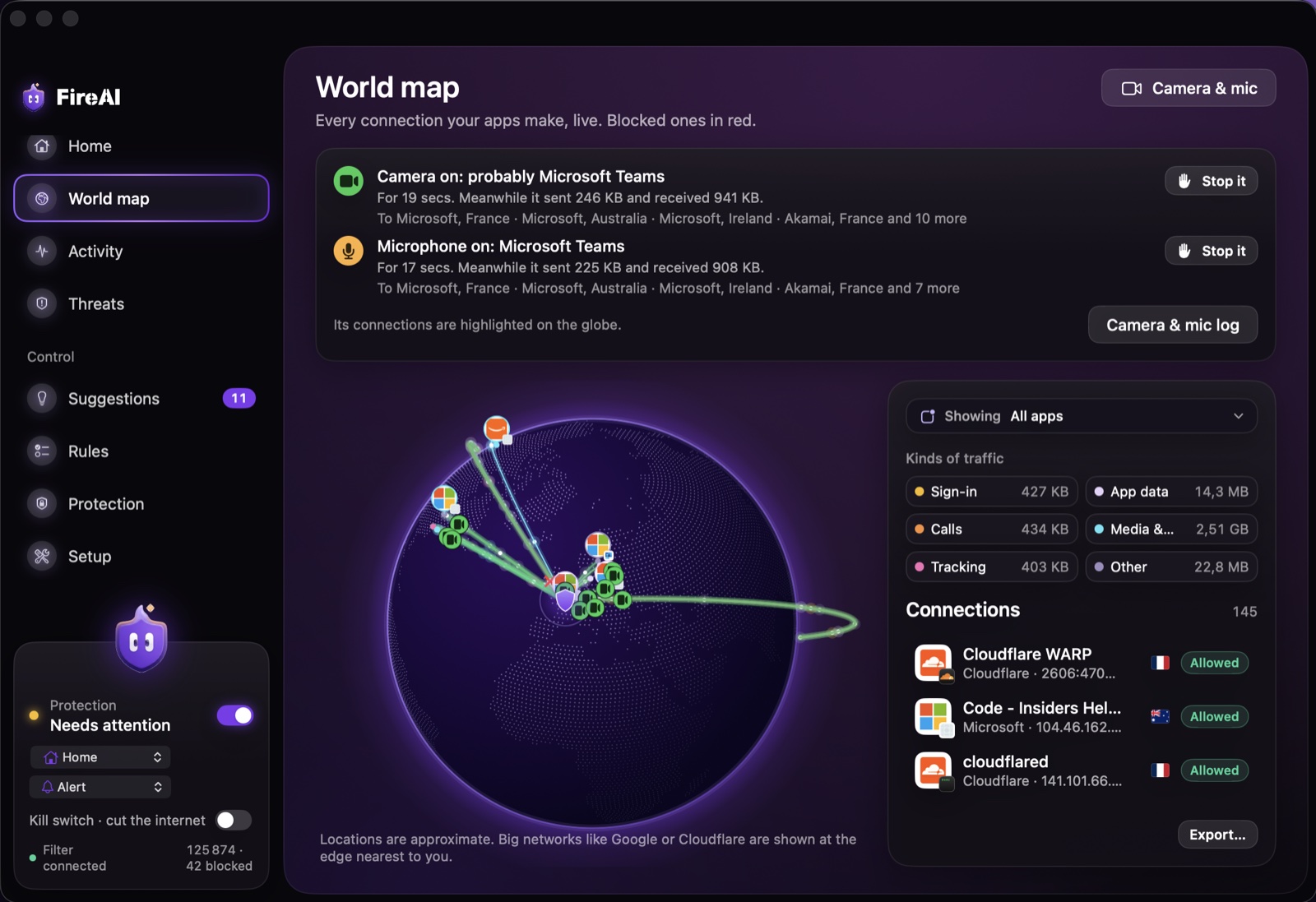
Watch it live
- Open FireAI and go to World map.
- When an app turns on the camera or microphone, a strip appears under the title, for example “Microphone on: Microsoft Teams”, with how long it has been on and how much that app has sent and received since.
- That app’s connections light up on the globe: green while the camera is on, orange for the microphone, with a small camera or microphone badge on each destination. Click a line to see the company and country.
Look back at earlier sessions
- Click Camera & mic at the top right of World map.
- Each session shows the app, when it started, how long it lasted, what it sent and received meanwhile, and its top destinations with company and country.
- The log is kept on this Mac only (last 200 sessions). Clear log removes it.
Stop it
Every session has a Stop it menu. Each choice asks you to confirm first:
- Remove camera access (or microphone access): macOS forgets you allowed that app, so it has to ask again next time; answer Don’t Allow. A call already in progress keeps going until the app quits.
- Quit the app: closes it like ⌘Q, which stops the camera and microphone right away.
- Block its internet: adds FireAI rules so nothing the app records can leave your Mac. Remove them any time in Rules.
- Open Privacy & Security: the System Settings list where macOS decides who may use the camera and microphone.
Read next
Try it on your own Mac
Try every feature free for 17 days, no card needed.
30-day money-back guarantee.