功能 · 自 FireAI 0.1.0 起可用
Security modes: Home, Coffee shop, Paranoid, Under attack
Match FireAI’s strictness to where your Mac actually is, in one tap.
在 FireAI 中的位置: Protection › Where are you?
此页面暂时只有英文版。
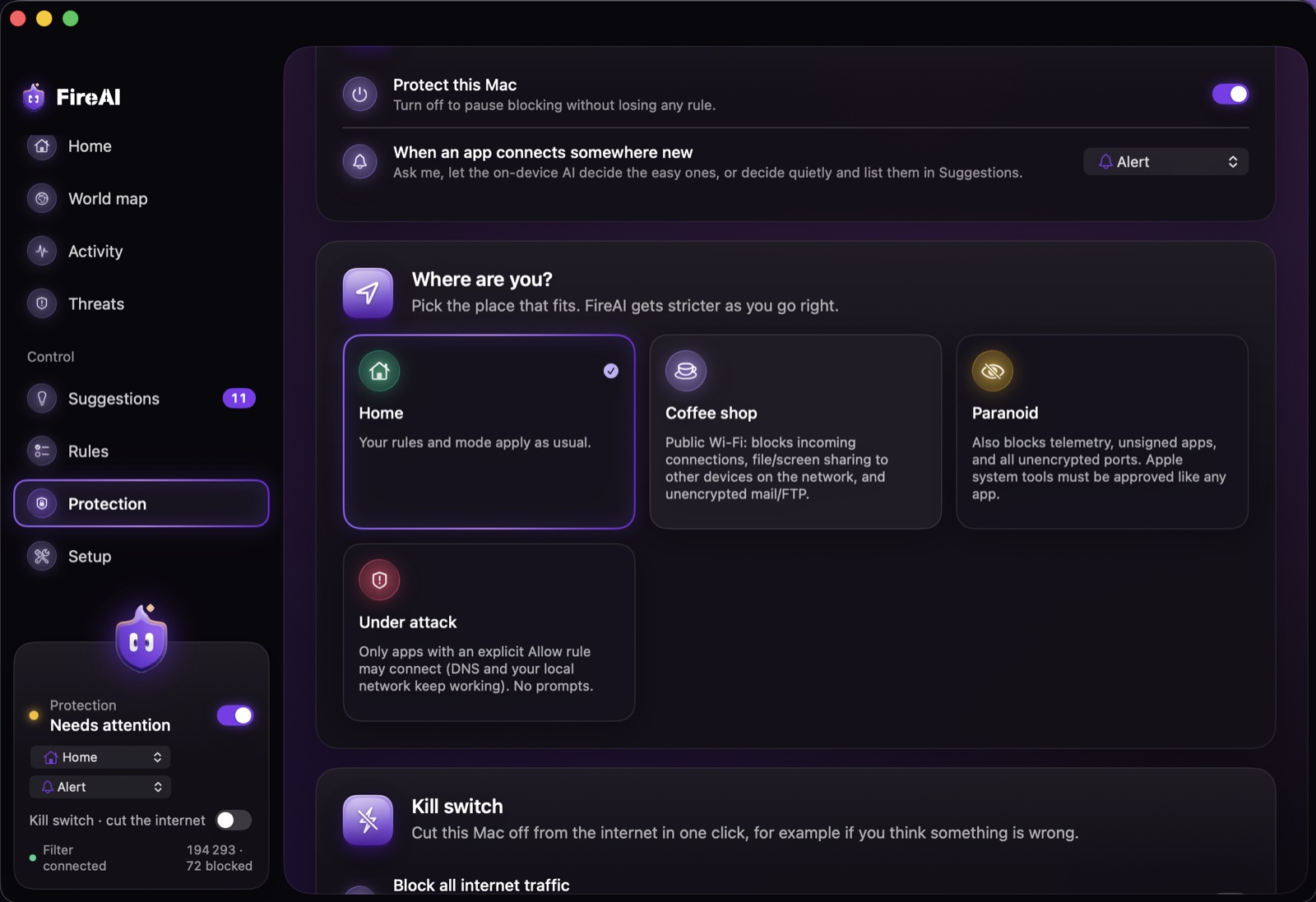
“Pick the place that fits. FireAI gets stricter as you go right.” Your own rules and an explicit Allow rule for an app always win over a mode.
The four modes
- Home — your rules and mode apply as usual.
- Coffee shop — for public Wi-Fi: blocks incoming connections, file and screen sharing to other devices on the network, and unencrypted mail or FTP.
- Paranoid — also blocks tracking traffic, unsigned apps, and every unencrypted port; even Apple’s own system tools must be approved like any other app.
- Under attack — only apps with an explicit Allow rule may connect (DNS and your local network keep working); FireAI stops asking and just blocks.
A mode can also be attached to a Wi-Fi place, so FireAI switches modes automatically as you move between networks. Modes decide what’s allowed; the kill switch is the one-click way to stop everything.
继续阅读
在您的 Mac 上试用
免费试用全部功能 17 天,无需绑定银行卡。
30 天退款保证。