功能 · 自 FireAI 0.1.0 起可用
The on-device AI model, opt-in
Get plain-language understanding and AI summaries that never leave your Mac once downloaded.
在 FireAI 中的位置: Home › Ask FireAI, "Add AI"
此页面暂时只有英文版。
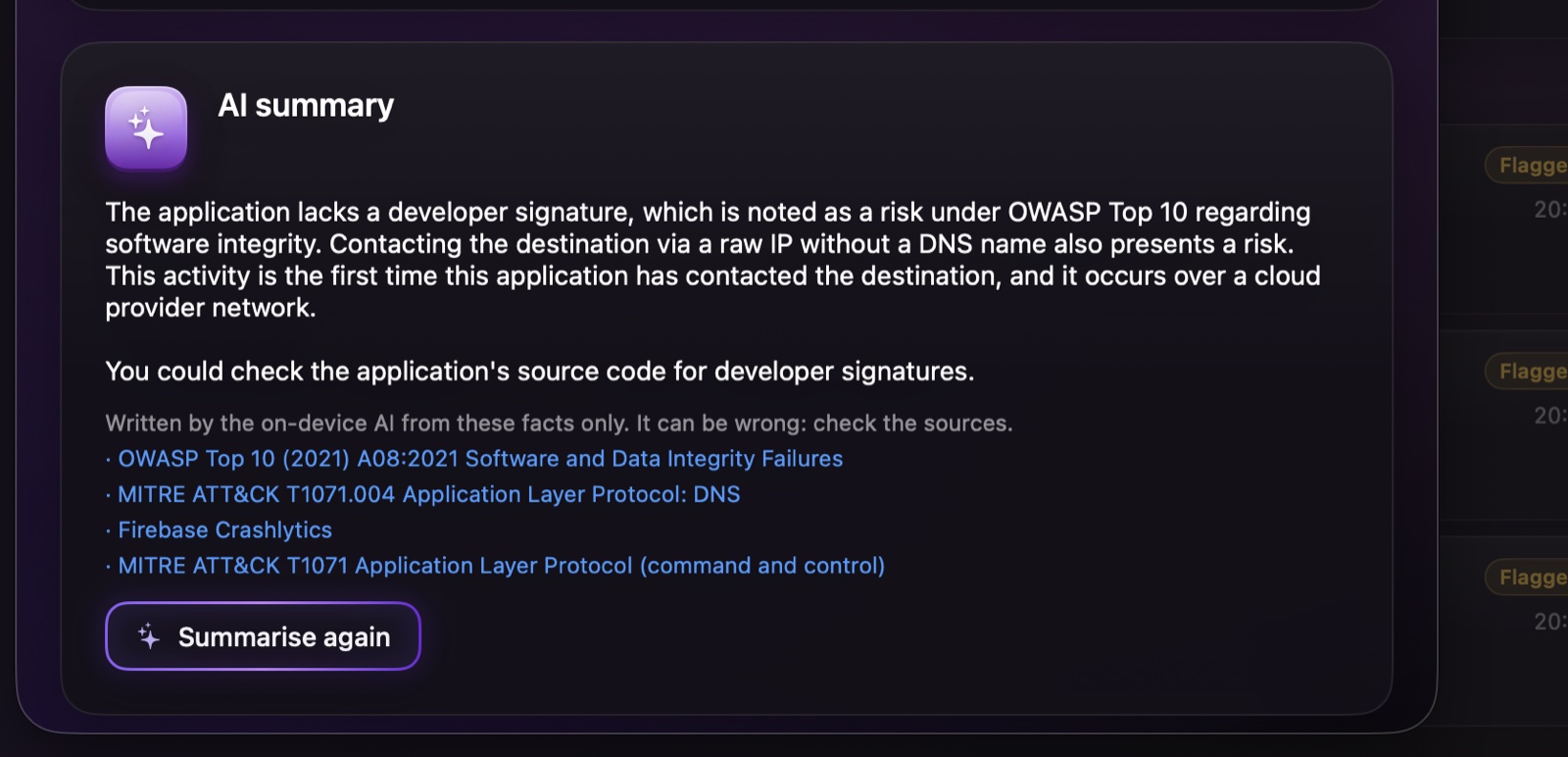
Without it, Ask FireAI already understands simple, direct orders. Click “Add AI” and FireAI downloads a small on-device model (about 1.5 GB, stays on this Mac) once from Hugging Face, so it can also work out orders phrased less directly, or names it doesn’t already recognise. See Ask FireAI for what it understands even without this model.
- It runs on this Mac’s own GPU. FireAI shows its status as it downloads, loads, and once it’s ready: “AI ready · runs only on this Mac”.
- It’s also what writes the plain-language summaries you can ask for in Investigate, always restricted to the facts FireAI has already gathered.
继续阅读
在您的 Mac 上试用
免费试用全部功能 17 天,无需绑定银行卡。
30 天退款保证。