Recurso · Disponível desde o FireAI 0.1.0
Investigate a connection
Decide with the facts in front of you, not a vague warning.
Onde no FireAI: Threats › Investigate, or World map › a line › Investigate…
Por enquanto esta página está em inglês.
What it does for you
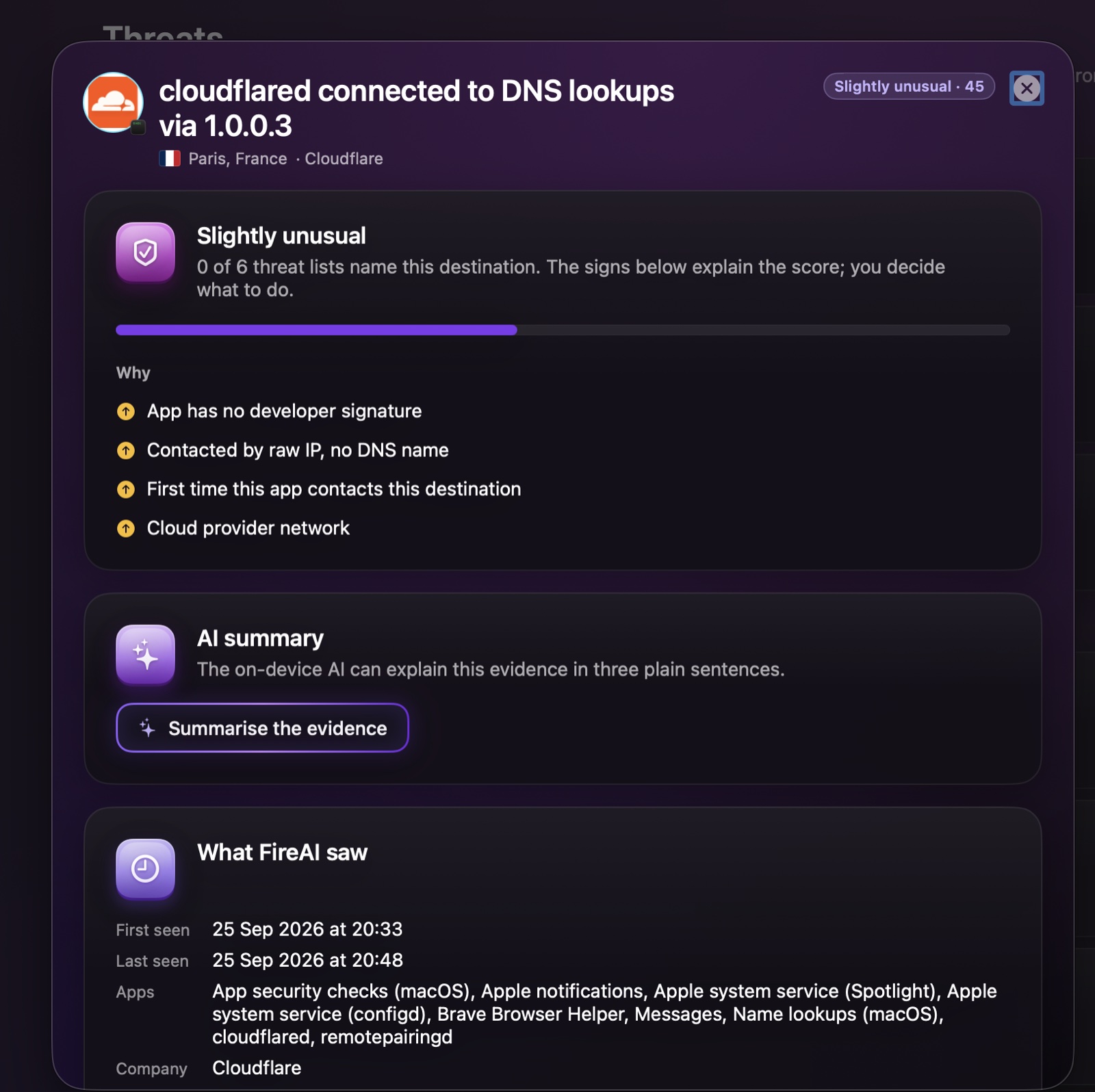
Open Investigate from a row in Threats, or from a line on the World map. The dossier explains a connection step by step, so you can judge it yourself. Turn on threat lists first — see turning on threat lists and investigating.
What you’ll see
| Section | What it tells you |
|---|---|
| The label and score | Looks normal (under 30), Slightly unusual (30 to 59), Suspicious combination (60 to 84) or Very likely harmful (85 and up), with the score out of 100 as a bar. |
| Threat lists | How many of the threat lists you turned on name this destination, for example “0 of 6”. |
| Why | Each sign that raised the score: no developer signature, contacted by raw IP with no name, first time this app contacts it, cloud provider network, night-time activity, and so on. |
| AI summary | Optional: the on-device AI explains the evidence in three plain sentences, with links to its sources. |
| What FireAI saw | First and last time seen, which apps used this destination, and the company behind it. |
| What do you want to do? | Block for every app, Block only for this app, or It’s fine. |
Good to know
Leia em seguida
Experimente no seu Mac
Teste todos os recursos grátis por 17 dias, sem cartão.
Garantia de reembolso de 30 dias.