Tutorial · Disponible desde FireAI 0.1.0
Find out where an app sends data, on the World map
See exactly which company and country one app is quietly talking to.
Dónde en FireAI: World map
Por ahora esta página está en inglés.
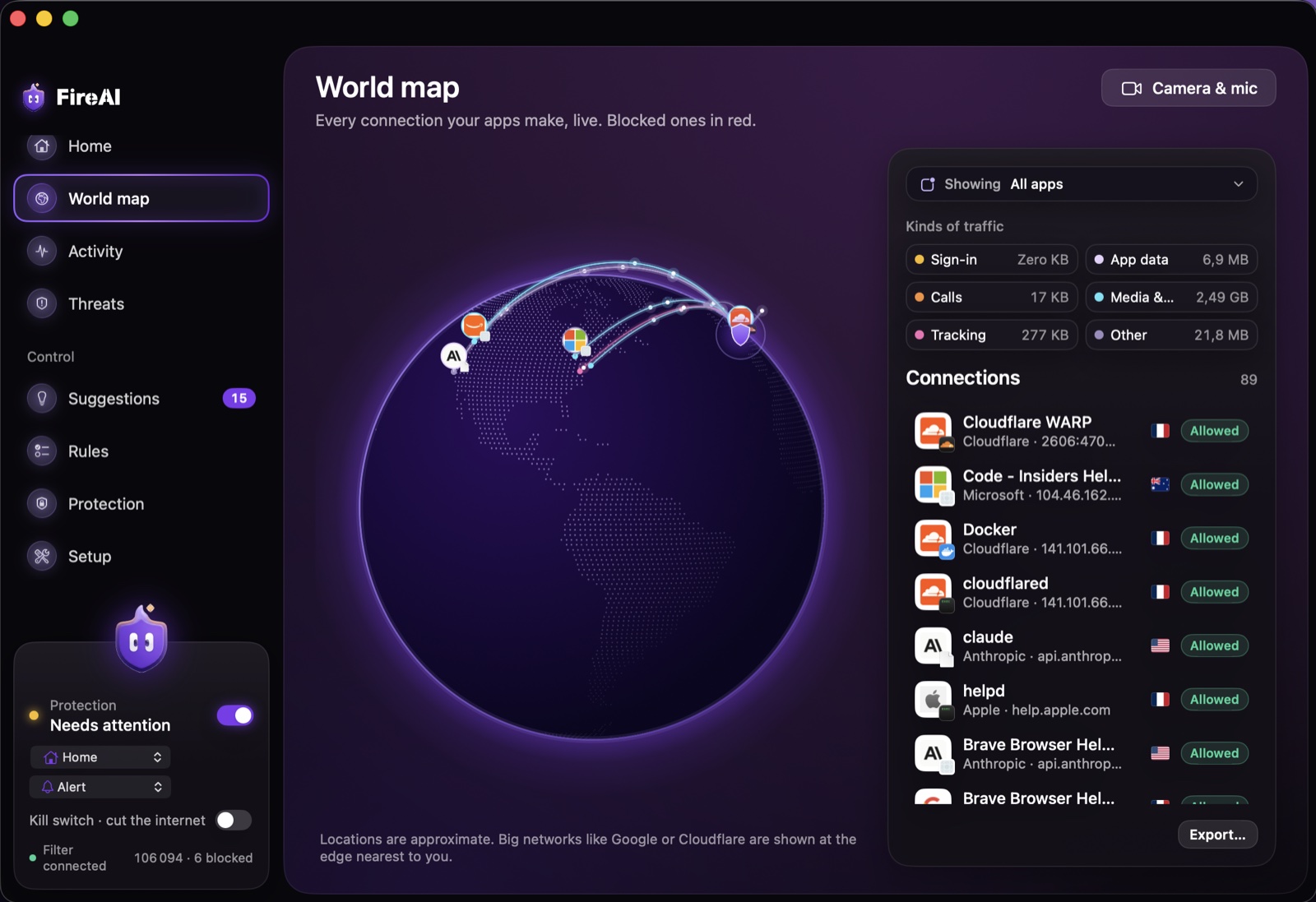
- Open World map.
- In the side panel, use the “Showing” menu to pick one app instead of All apps.
- The globe now draws only that app’s connections. A blocked one is shown in red.
- Click any line or destination point for a card with the company, the place, whether it was allowed or blocked, and why.
- Open Details on that card for the exact destination, IP and port, category, bytes sent and received, and when it was last seen.
From either card, you can act right away: Block, Allow, Always allow, Block this app everywhere, or Investigate… for the fuller dossier on that destination.
For the full picture beyond one app, see the World map.
Sigue leyendo
Pruébalo en tu Mac
Prueba todas las funciones gratis durante 17 días, sin tarjeta.
Descargar para Mac Ver precios
Garantía de reembolso de 30 días.