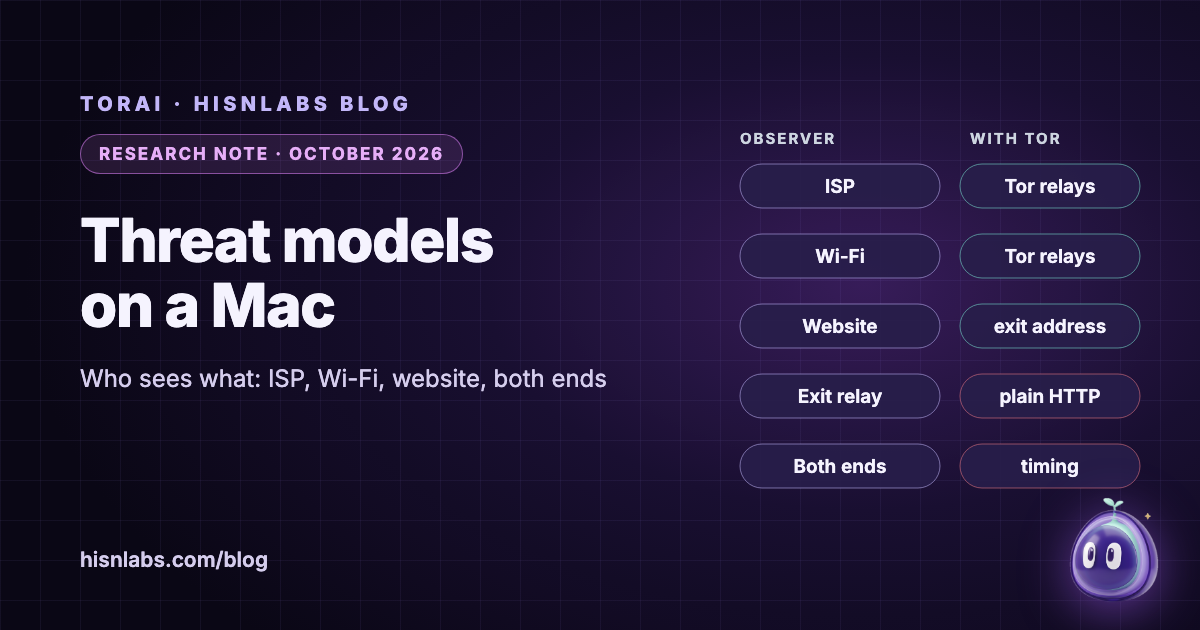
Journalists, researchers and activists are often told to "use Tor", but the advice only becomes useful once it is tied to a specific adversary. This note applies the threat-modelling method of the Electronic Frontier Foundation’s Surveillance Self-Defense guide to four observers that matter for work done on a Mac: the internet service provider, the operator of a Wi-Fi network, the website or service being contacted, and an observer who can watch both ends of a connection. For each, it sets out from the Tor Project’s own documentation what Tor changes and what it leaves as it is, and then applies the result to three working situations: contacting sources, researching a hostile site, and working from hotel or café Wi-Fi.
Background
EFF describes threat modelling as determining "what you need to protect and from whom you need to protect it", and calls this "the process of security planning" [1]. Its guide, last reviewed on 27 October 2023, organises the plan around six questions, beginning with "What do I want to protect?" and "Who do I want to protect it from?", and continuing with "How bad are the consequences if I fail?", "How likely is it that I will need to protect it?", "How much trouble am I willing to go through to try to prevent potential consequences?" and "Who are my allies?" [1]. An adversary is "a person or entity that poses a threat to your assets"; the examples given range from "your boss" and "law enforcement" to "your government, or a hacker on a public network" [1].
The engineering community uses the same framing at the scale of the whole network. RFC 7258, published by the IETF in May 2014, defines pervasive monitoring as "widespread (and often covert) surveillance through intrusive gathering of protocol artefacts, including application content, or protocol metadata such as headers", and states that it "is a technical attack that should be mitigated in the design of IETF protocols, where possible" [7]. For a reporter, the asset is often not the content of a story but its metadata: EFF notes that communications metadata can allow a third party "to infer details about the contents of that communication even though they do not have access to that" [10].
Findings
The internet service provider
Without Tor, the Tor Project notes, "every router between sender and receiver learns that the sender is communicating with the receiver", and "your local ISP is in the position to build a complete profile of your Internet usage" [3]. With Tor, "all your local ISP can observe now is that you are communicating with Tor nodes" [3]. Tor use itself remains visible: EFF’s Tor guide, last reviewed on 28 January 2025, warns that "anyone who can see your network activity can also see that you're using Tor" [2]. The Committee to Protect Journalists makes the related point about VPNs: "your ISP will log that you are connected to a VPN service, which could be an issue if VPNs are illegal in your country" [8].
The Wi-Fi operator
A hotel, café or conference network sits in the same position as the ISP, one step closer. The Tor Project lists among Tor’s aims that it "prevents people watching your traffic locally (such as your ISP or someone with access to your home wifi or router) from learning what information you're fetching and where you're fetching it from" [3]. This applies only to traffic that is actually sent through Tor; the Tor Project’s best-practice page states that "Tor only protects applications that are properly configured to send their Internet traffic through Tor" [6]. Every other app on the same Mac remains visible to the operator as before.
The website or service
The first of Tor’s three stated aims is that it "prevents websites and other services from learning your location" [3]. It does not prevent them from learning identity. "If you sign in to that website, they still don't know your location but they know who you are", and anyone who provides a name, email, address or phone number is "no longer anonymous to that website" [6]. EFF adds that such a site "will be able to identify you and may know that you're using Tor" [2]. The Tor Project’s interactive HTTPS page lists what may be visible to observers: the site visited, the username and password, the data transmitted, the network location, and whether Tor is used [5].
The exit relay
Tor adds an observer that does not exist on a direct connection: the exit relay, which connects to the destination on the user’s behalf. EFF states that "it’s technically possible that Tor exit nodes may be monitored" [2], and the Tor Project explains that "the encryption of your traffic to the final destination website depends on that website" [6]. HTTPS is therefore part of the threat model, not an optional extra.
An observer at both ends
The Tor Project is explicit about the limit of its design: "It is possible for an observer who can view both you and either the destination website or your Tor exit node to correlate timings of your traffic as it enters the Tor network and also as it exits. Tor does not defend against such a threat model." [4] The same page notes that such observation is mainly useful "to verify that parties already suspected of communicating with one another are doing so", and adds a practical warning: "since Tor reuses circuits for multiple TCP connections, it is possible to associate non anonymous and anonymous traffic at a given exit node, so be careful about what applications you run concurrently over Tor" [4].
What no network tool reaches
Some risks sit outside the network entirely. EFF’s Tor guide warns that "some documents may include internet-connected resources that may be downloaded when you open the document outside of Tor, which could reveal your IP address" [2], and its metadata guide recalls that file metadata can include "when a file was created, by who" and "the location the photograph was taken" [10]. CPJ’s kit, updated on 20 February 2026, frames the starting point for journalists as thinking "about the information they are responsible for" [8]. A Mac that has been compromised, a file that carries its author’s name, or an account that is logged in are not changed by the path the packets take.
| Observer | App connecting directly | App routed through Tor | Not changed by Tor |
|---|---|---|---|
| Internet service provider | Every destination and every name looked up | Only that the Mac connects to Tor relays | That Tor is used; when and how much |
| Hotel or café Wi-Fi operator | Every destination and every name looked up | Only that the Mac connects to Tor relays | Traffic of apps not routed through Tor |
| Website or service | Your IP address and rough location | A Tor exit’s address | Logins, cookies, fingerprint, what you submit |
| Exit relay | Not on the path | The destination, and content not encrypted end to end | HTTPS still decides what it can read |
| Observer at both ends | Everything | Can correlate timing at entry and exit | Tor does not defend against it |
Implications for journalists, researchers and activists
Contacting sources. The risk often lies less in the message than in the record that a contact took place. The Freedom of the Press Foundation’s SecureDrop guide for sources is blunt about the network: "DO NOT access SecureDrop on your employer’s network", "DO NOT access SecureDrop using your employer’s hardware" and "DO NOT access SecureDrop on your home internet network" [9]. The same reasoning applies to the journalist’s side: an ISP or employer network that sees a direct connection to a contact’s server learns of the relationship, while Tor reduces what it sees to the fact of Tor use [3].
Researching a hostile site. A researcher who studies a forum, a disinformation network or a group’s infrastructure may not want that group to see the institution’s address in its server logs. This is the case Tor addresses most directly, by hiding location from the service [3]. It stops helping the moment the researcher logs in with a personal account, or opens a downloaded document outside the browser [2] [6].
Working from hotel or café Wi-Fi. EFF lists "a hacker on a public network" among the typical adversaries [1]. On a shared network, the question is less which website sees the user than which local observer sees every app on the Mac at once: mail, chat, cloud storage and research tools all leave their destinations and lookups on that network unless they are routed. Answering it starts with an inventory of which apps on the Mac talk to which servers, which is the first question of a security plan applied to the machine itself [1].
Recommendations
- Write down the six questions of EFF’s security plan for each project, and name the adversary: an ISP, an employer, a network operator, a service, or a state able to watch both ends.
- Use Tor Browser for web research where your identity must stay apart from your browsing; it is built to make browsers look alike, which a network tool cannot do.
- Route through Tor the other apps that reach sensitive servers, and keep apps that carry your real accounts on a separate path from anonymous research, since circuits can be shared at an exit.
- Do not log in to personal accounts in a session meant to be anonymous; a login identifies you to the service whatever the route.
- Prefer HTTPS everywhere; the exit relay can read what is not encrypted end to end.
- Open downloaded documents offline, and check the metadata of files before you publish or send them.
- Where Tor itself is risky to be seen using, take that into account: your network can see that you use Tor.
Relevance to TorAi
TorAi is a HisnLabs app for macOS; version 0.1.1 is available, for macOS 15 or later. Its relevance here is the gap EFF describes: "Other apps or services installed on your device will not be routed through Tor" [2]. TorAi sends the apps a user picks through Tor, each on its own circuit, so the servers they reach see a Tor exit’s address and the local network sees connections to Tor relays. It is built to fail closed: while Tor is not ready, routed apps are blocked, never sent around it. The DNS lookups of routed apps, and every .onion lookup, go through Tor, while the lookups of other apps never go to Tor. UDP other than DNS, including QUIC, calls and games, is blocked for routed apps rather than leaked. The Safer level refuses plain HTTP and keeps a short list of open ports; Safest sends every app through Tor and leaves only port 443 open. A browser other than Tor Browser gets a plain warning about fingerprinting, and Tor Browser is left on its own Tor by default. The places routed apps connect to are kept in memory only, dropped after ten minutes and never written to disk, and TorAi sends no telemetry.
What TorAi does not do follows from the table above. It does not make anyone anonymous who logs in: accounts, cookies and fingerprints still identify the user, and for anonymous browsing its own page recommends Tor Browser. It does not hide from the network that Tor is used, and bridges, which help on networks that block Tor, are not in the current build. It does not defend against an observer who watches both ends of a connection. It does not protect a compromised Mac, remove metadata from files, or change what an app sends about its user. Details are on the TorAi page.
Limitations
This note summarises published guidance from EFF, the Tor Project, CPJ and the Freedom of the Press Foundation; it does not assess any particular newsroom, country or adversary, and the legal risk of using Tor or a VPN varies by jurisdiction in ways it does not address. The observers in the table are simplified: a state may be ISP, Wi-Fi operator and service at once. The guidance pages are revised over time, and the dates given are those shown on the pages when they were read on 8 October 2026. TorAi’s behaviour is described from its release notes and HisnLabs’s own tests, not from an independent audit, and HisnLabs makes TorAi, which readers should weigh. Further reading: what Tor hides and what it does not and per-app Tor routing on macOS.
How FireAI and HisnLabs fit in
FireAI does not route anything through Tor. It shows which app on your Mac opens which connection, and lets you block it: the inventory a security plan starts from, before deciding which apps belong behind Tor.
FireAI is HisnLabs’ own product: an on-device AI firewall for Mac. It shows every connection your apps make, in plain language, and lets you decide what leaves your Mac — its AI runs locally, so your traffic is never sent to us or anyone else. HisnLabs’ security research team is the group that keeps that decision-making accurate: cataloguing which domains are ordinary telemetry versus a real product, tracking the country and network behind a connection, and training the on-device model (its FireAI Pilot feature) on real traffic patterns, all without any of it leaving your Mac.
You can read the technical decisions behind it, or try FireAI for 17 days, at FireAI, by HisnLabs.