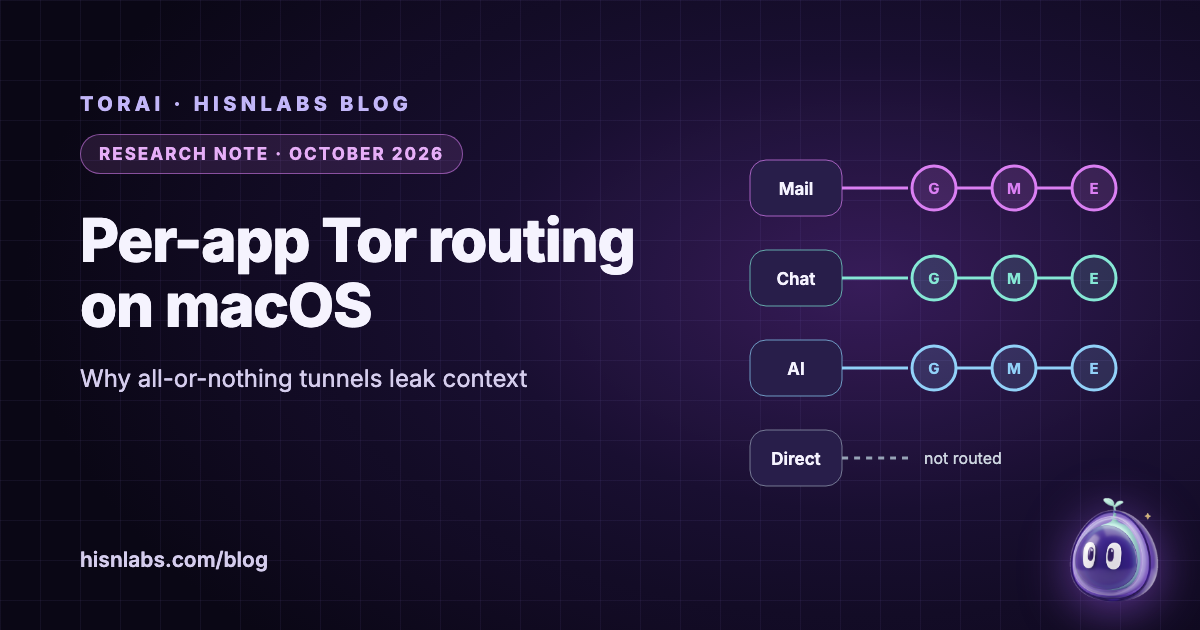
A system-wide VPN treats the Mac as one sender: every app leaves through the same tunnel and the same exit address, and the tunnel itself has exceptions that published research has turned into leaks. Routing per application, which macOS allows through Network Extension transparent proxies, makes the app the unit of decision instead. This note compares the two models from Apple’s developer documentation, the tor manual and a 2023 USENIX Security study, and identifies the three points where a per-app Tor router can still leak: what happens to a connection when Tor is not ready, where DNS lookups go, and what happens to traffic that is not TCP. It ends with how TorAi, a HisnLabs app for macOS, handles each point, including a DNS gap that TorAi 0.1.0 closed.
Background
Most VPN clients send “all traffic” into the tunnel by changing the operating system’s routing table. Xue and colleagues traced a class of leaks to “a widespread design flaw in how clients configure the Operating System (OS) to route all traffic through the VPN tunnel” [1]. Full tunnels need exceptions, typically for the local network and for the VPN server itself; the researchers showed that an attacker who runs the Wi-Fi access point or spoofs DNS replies can abuse those exceptions to make the victim send traffic in plaintext outside the tunnel. They ran 248 experiments against 67 of the most representative VPN providers on Windows, macOS, iOS, Linux and Android [1].
Apple’s framework has its own fixed exceptions. With the stricter includeAllNetworks setting, which is off by default, the system still always excludes DHCP, captive-portal traffic, some cellular services and traffic to companion devices [5]. Whether the local network bypasses the tunnel is a separate setting, excludeLocalNetworks, which defaults to false on macOS and true on iOS [6].
Findings
One tunnel puts every app behind one identity
With a single tunnel, mail, chat, updates and browsing all leave from one address at the same time. A server that sees two of those apps, or an observer at the exit, can link them. Tor can keep them apart, but only if it is told which stream belongs to whom: with IsolateSOCKSAuth, which is “on by default”, tor will not “share circuits with streams for which different SOCKS authentication was provided” [9]. A router that sends each app with its own SOCKS credentials therefore gets one circuit, and one exit, per app.
A transparent proxy can see which app opened a connection
NETransparentProxyProvider, available since macOS 11, receives connections from apps and decides what to do with each one [2]. Each flow carries metadata about its source: sourceAppSigningIdentifier, which for apps signed in the standard way is identical to the bundle identifier [7]. Which traffic reaches the proxy at all is set by included and excluded network rules, and exclusions take priority [3]. Together these let a router decide per app rather than per destination.
Unhandled connections fail open by default
The key detail is what happens to a flow the proxy does not take. Apple’s documentation states that when the provider declines a new flow, the flow proceeds “to communicate directly with the flow’s ultimate destination, instead of closing the flow with a “Connection Refused” error” [2]. A Tor router that simply declines flows while Tor is still starting, or after Tor has stopped, therefore sends those apps straight to the internet with their real address. Failing closed requires the proxy to accept such flows and then refuse them itself.
DNS travels on a separate path
Apps that connect by name through URLSession or the Network framework “do not generate DNS queries. Instead the destination hostname… is included in the endpoint information” of the flow [8], and remoteHostname carries it to the proxy [4]. The proxy can hand that name to Tor so the exit resolves it. Apps that resolve first through low-level APIs such as DNSServiceGetAddrInfo behave differently: their lookups go to the system resolver as separate DNS flows [8], and a transparent proxy ignores the DNS settings a VPN would use to redirect them [2]. Unless the router also captures those lookups, the network’s resolver learns the names. tor offers a DNSPort for this purpose, which “only handles A, AAAA, and PTR requests”, and AutomapHostsOnResolve, “handy for making “.onion” addresses work with applications that resolve an address and then connect to it” [9]. Lookups that do reach Tor are seen by the exit’s resolver; Greschbach and colleagues found that one public resolver observed almost 40 per cent of DNS requests leaving the Tor network [10].
Tor carries TCP, not UDP
Tor was designed to carry TCP streams [11]. QUIC, which many apps and browsers now use for HTTP/3, runs over UDP. A per-app router has two honest options for UDP from a routed app: block it, so the app falls back to TCP, or let it go direct, which leaks. Silently letting it go direct defeats the purpose.
| Property | Full-device VPN | Per-app transparent proxy to Tor |
|---|---|---|
| Unit of decision | The whole device, with destination exceptions | The app, by signing identifier |
| Exit identity | One address for every app | One circuit per app, if isolated |
| Documented bypasses | Local-network and server exceptions; fixed system exclusions | Flows the proxy declines go direct |
| DNS | Can be redirected with VPN DNS settings | Names in flows go to Tor; low-level lookups need separate capture |
| UDP and QUIC | Carried by most VPN protocols | Not carried by Tor; must be blocked |
Implications for Mac users
“Routing an app through Tor” is only as strong as its handling of the edge cases. The points worth checking in any tool, including ours, are concrete: whether it blocks a routed app while Tor is starting or lets it through; whether it catches lookups that apps make before connecting; whether it blocks QUIC and other UDP from routed apps; and whether it gives each app its own circuit. A tool that fails any of these leaks something, even if the main connection goes through Tor. A full-device VPN remains useful for other goals, such as hiding traffic from an untrusted Wi-Fi network, but it is the wrong shape for “these three apps should not reveal my address and should not be linked to each other”.
Recommendations
- Choose per-app routing when the goal is to separate specific apps, and keep each app on its own circuit.
- Prefer tools that fail closed: a routed app should lose its connection, not its protection, when Tor is not ready.
- Check where DNS goes, both for names passed in connections and for lookups made before connecting.
- Block QUIC and other UDP for routed apps so they fall back to TCP through Tor.
- Do not assume a VPN’s “all traffic” option covers everything: the system and the client both keep exceptions.
- Verify the result from the routed app itself, for example with the Tor Project’s check page.
Relevance to TorAi
TorAi is a HisnLabs app for macOS; version 0.1.0, its first public release, is available. Its page describes a Split Mesh with three modes, Off, Selected apps and All traffic; one Tor circuit per app, with an app’s helper processes following it; a fail-closed design, in which routed apps are blocked when Tor is not ready; only TCP and DNS carried, with other UDP, including QUIC, blocked; the local network kept direct; and host rules per domain. Details are on the TorAi page.
One gap was open in TorAi’s development builds, and version 0.1.0 closes it. In those builds, in Selected apps mode, a name that a routed app looked up through the macOS system resolver, including a .onion name, was sent to the network’s resolver: the connection itself still went through Tor, and the exit resolved the name again, but the local resolver saw the name. TorAi 0.1.0 adds a DNS proxy to the same system extension, which sees each lookup together with the app that made it. The lookups of routed apps, and every .onion lookup, go to tor’s DNS port; the lookups of every other app go to their usual resolver and never wait on Tor. Because macOS’s own network configuration drops .onion lookups unless a resolver for the onion domain is configured, TorAi configures one, for that domain only, while routing is on. In All traffic mode the resolver is routed too. As with any Tor tool, logins and fingerprints still identify you, the exit sees unencrypted traffic, and end-to-end correlation is not defended against.
Limitations
This note describes the documented behaviour of Apple’s frameworks and of tor; it does not test specific VPN products, and the study cited tested clients as they were in 2023, some of which have since been fixed. Apple’s documentation describes intended behaviour and can change between macOS releases. The DNS observation figure dates from 2016. TorAi’s behaviour is described from its release notes and HisnLabs’s own tests, not from an independent audit, and HisnLabs makes TorAi, which readers should weigh. Further reading: the FireAI University lessons on VPNs, Tor and proxies and who sees your DNS lookups, the posts beyond the VPN and what Tor hides and what it does not, and the FireAI Radar entry on Network Extension filters.
How FireAI and HisnLabs fit in
FireAI uses the same macOS Network Extension framework for a different job: it does not tunnel anything, it shows which app opens which connection and lets you allow or block each one, which is a useful way to see which apps you would want behind Tor.
FireAI is HisnLabs’ own product: an on-device AI firewall for Mac. It shows every connection your apps make, in plain language, and lets you decide what leaves your Mac — its AI runs locally, so your traffic is never sent to us or anyone else. HisnLabs’ security research team is the group that keeps that decision-making accurate: cataloguing which domains are ordinary telemetry versus a real product, tracking the country and network behind a connection, and training the on-device model (its FireAI Pilot feature) on real traffic patterns, all without any of it leaving your Mac.
You can read the technical decisions behind it, or try FireAI for 17 days, at FireAI, by HisnLabs.