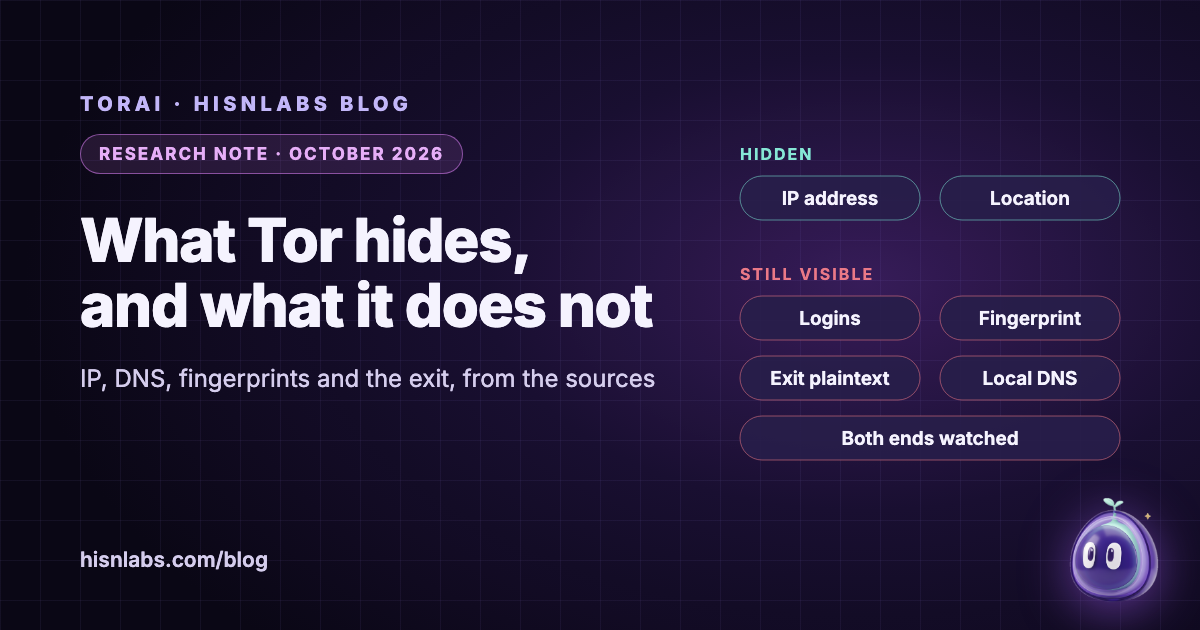
Tor changes who can link you to what you do online, but it changes less than its reputation suggests. This note sets out, from the Tor design paper, the Tor Project’s own guidance and peer-reviewed measurement studies, which identifiers Tor removes from a connection and which it leaves in place. In short: the server you reach no longer sees your IP address, and no single relay sees both ends of the path. The accounts you sign in to, the fingerprint of your software, unencrypted content at the exit relay, DNS lookups made outside Tor, and an adversary able to watch both ends are outside what Tor was designed to handle. The note ends with what this means for routing whole Mac apps through Tor rather than using Tor Browser, and with what TorAi, a HisnLabs app for macOS, does and does not change.
Background
Tor describes itself in its founding paper as “a circuit-based low-latency anonymous communication service” [1]. A Tor client builds a circuit through three volunteer relays, usually called the guard, the middle and the exit, and wraps each message in one layer of encryption per relay. Each relay “knows its predecessor and successor, but no other nodes in the circuit” [1]. The exit relay is the one that finally opens the connection to the destination server. The design carries TCP: Tor “multiplexes multiple TCP streams along each circuit”, which allowed its authors “to support most TCP-based programs without modification” [1].
That architecture defines the protection. The guard knows your address but not your destination; the exit knows the destination but not your address; the destination sees only the exit. Everything else in this note follows from asking which identifiers travel outside that arrangement.
Findings
Your IP address: hidden from the destination
The server you reach sees the address of a Tor exit relay, not yours. Your internet provider and the local network see that you connect to Tor, but not which server you reach through it. This is the property Tor delivers most reliably, and it is the one most people mean when they say Tor “hides” them.
DNS: hidden only when the lookup goes through Tor
A connection usually starts with a DNS lookup that turns a name into an address. If the application hands the name to Tor, the exit relay resolves it and the local network learns nothing. If the application resolves the name itself first, the lookup goes to the ordinary resolver of the network you are on, which then knows which site you are about to visit even though the connection itself travels through Tor. The tor manual includes options to catch this: SafeSocks rejects requests made “when not doing remote DNS”, and TestSocks “helps to determine whether an application using Tor is possibly leaking DNS requests” [7].
Lookups that do go through Tor are not invisible either. Greschbach and colleagues found that “Google’s DNS resolver observes almost 40 per cent of all DNS requests exiting the Tor network”, that DNS requests often cross networks the matching TCP connections do not, and that combining DNS observation with website fingerprinting could identify visited sites “with perfect precision, particularly for less popular websites” [5].
Logins and content: not hidden
Tor hides where you are, not who you say you are. The Tor Project puts it directly: “If you sign in to that website, they still don’t know your location but they know who you are” [2]. The same page notes that “Tor will encrypt your traffic to and within the Tor network, but the encryption of your traffic to the final destination website depends on that website” [2]: without HTTPS, the exit relay reads the content. The design paper is explicit that the application layer is outside its scope: “Tor does not provide protocol normalization”, and Tor “must be layered with a filtering proxy such as Privoxy” to strip identifying data from application protocols [1].
Fingerprints: hidden by Tor Browser, not by Tor
Software identifies itself through many small details. In a study of browsers visiting an EFF test site, Eckersley measured that a browser fingerprint carried “at least 18.1 bits of entropy”, meaning that a browser chosen at random would share its fingerprint with only one in 286,777 others [4]. The Tor Project notes that “most browsers inadvertently create a unique fingerprint for each user, which can be tracked across the internet” [3]. Tor Browser counters this with measures such as reporting every macOS version as the same one and letterboxing, which adds margins so that window sizes fall into a few common buckets [3]. These measures live in the browser, not in the Tor network. Any other application sent through Tor still presents its own user agent, device identifiers and behaviour.
Applications that step outside Tor
“Tor only protects applications that are properly configured to send their Internet traffic through Tor” [2]. The Tor Project warns that plugins “can be manipulated into revealing your IP address”, and that downloaded documents “can contain Internet resources that will be downloaded outside of Tor by the application that opens them” [2]. Protection is per application, and a single helper process that connects directly undoes it for whatever that process sends.
Correlation: outside the threat model
Tor’s authors stated from the start that “Tor does not claim to completely solve end-to-end timing or intersection attacks” [1]. Johnson and colleagues later modelled adversaries who control relays, autonomous systems or internet exchange points, recalled that “Tor is known to be insecure against an adversary that can observe a user’s traffic entering and exiting the anonymity network”, and concluded that “Tor users are far more susceptible to compromise than indicated by prior work” [6].
| Identifier | Hidden by Tor? | Condition |
|---|---|---|
| Your IP address, from the destination | Yes | The destination sees the exit relay |
| The destination, from your local network | Yes | Only if DNS also goes through Tor |
| DNS lookups | Partly | Local lookups leak; exit lookups are seen by the exit’s resolver |
| Account logins | No | The site knows who you are |
| Content | Only with end-to-end encryption | Without HTTPS the exit reads it |
| Software fingerprint | Only in Tor Browser | Other apps send their own |
| Entry and exit observed together | No | Correlation is outside the design |
Implications for Mac users
Tor Browser and “an app routed through Tor” are different things. Tor Browser pairs the Tor network with a browser built to look the same as every other copy of itself. Routing an ordinary app, such as a mail client, a chat app or an AI tool, through Tor changes only the network layer: the server stops learning your address and your network stops learning the server, but the app still signs in, still sends its device identifiers and still behaves like itself. Whole-app routing is therefore suited to goals such as “this server should not learn where I am” or “this Wi-Fi network should not learn which services I use”, and not to staying unlinkable from an account you are signed in to.
Two further details matter when several apps share Tor. If they share one circuit, a single exit sees all of them at once and can link them. tor can keep them apart: with IsolateSOCKSAuth, which is “on by default”, it will not “share circuits with streams for which different SOCKS authentication was provided” [7]. And because Tor carries TCP, traffic that is not TCP, including QUIC over UDP, either has to be blocked or it leaves the Mac outside Tor.
Recommendations
- For browsing where anonymity matters, use Tor Browser: its fingerprint defences have no equivalent when another app is routed through Tor.
- Do not sign in to personal accounts over Tor if the goal is that the account cannot be linked to the activity.
- Make sure name lookups go through Tor (remote DNS), and check the connection with the Tor Project’s own check page.
- Treat the exit relay as untrusted: use HTTPS or other end-to-end encryption for anything sensitive.
- Do not open documents downloaded over Tor while the Mac is online.
- Keep apps apart on separate circuits, and block traffic Tor cannot carry rather than letting it go direct.
- Do not rely on Tor against an adversary able to observe both your connection and the destination.
Relevance to TorAi
TorAi is a HisnLabs app for macOS; version 0.1.0, its first public release, is available. Its page describes a Split Mesh with three modes, Off, Selected apps and All traffic; one Tor circuit per app, with an app’s helper processes following it; a fail-closed design, in which routed apps are blocked rather than sent outside Tor when Tor is not ready; and the carriage of TCP and DNS only, with other UDP traffic, including QUIC, blocked. The local network stays direct. The DNS lookups of routed apps, and every .onion lookup, also go through Tor, while other apps keep their own resolver. A Check my connection button uses the Tor Project’s check page. Details are on the TorAi page.
TorAi does not change the limits described above, and its page says so: logins and fingerprints still identify you, the exit relay still sees unencrypted traffic, connections are slower, and end-to-end correlation is not defended against. For web browsing, the page itself recommends Tor Browser.
Limitations
This note relies on published documentation and studies rather than on new measurements. The studies are snapshots: the fingerprinting data dates from 2010, the correlation model from 2013 and the DNS measurements from 2016, and the Tor network, browsers and resolvers have changed since. Eckersley’s sample consisted of self-selected visitors to a privacy test site. TorAi’s description here is taken from its product page and release notes, not from an independent measurement, and HisnLabs makes TorAi, which readers should weigh. Further reading: the FireAI University lessons how Tor works and what it protects and who sees your DNS lookups, and the post beyond the VPN.
How FireAI and HisnLabs fit in
FireAI does not route anything through Tor. What it does is show which app on your Mac opens which connection, and let you block it: the per-app view you need before deciding what should go through Tor at all.
FireAI is HisnLabs’ own product: an on-device AI firewall for Mac. It shows every connection your apps make, in plain language, and lets you decide what leaves your Mac — its AI runs locally, so your traffic is never sent to us or anyone else. HisnLabs’ security research team is the group that keeps that decision-making accurate: cataloguing which domains are ordinary telemetry versus a real product, tracking the country and network behind a connection, and training the on-device model (its FireAI Pilot feature) on real traffic patterns, all without any of it leaving your Mac.
You can read the technical decisions behind it, or try FireAI for 17 days, at FireAI, by HisnLabs.