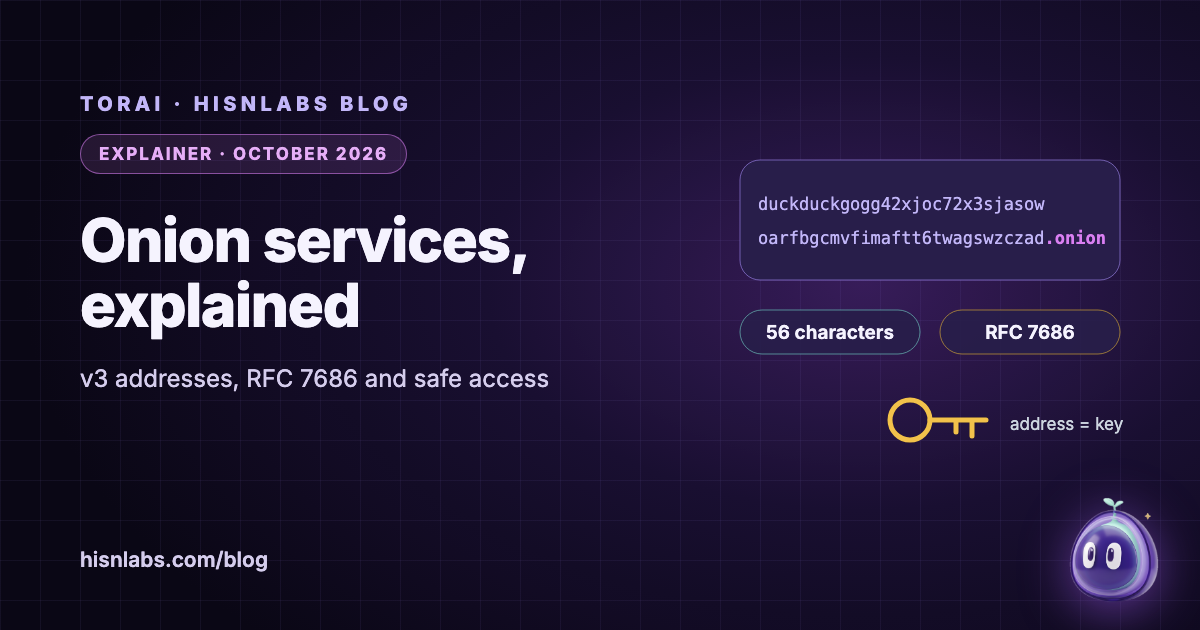
An onion service is a server reachable only through the Tor network, at an address ending in .onion. This note explains, from the Tor specifications, the IETF standard that reserves the name and the Tor Project’s documentation, three things that are often confused: what a version 3 onion address is made of, why .onion names are deliberately kept out of the ordinary DNS, and what that means for reaching onion services from a Mac. The central point is that a v3 address is not a name looked up in a directory but the service’s public key, which makes the address itself the proof of whom you are talking to, provided the request never leaves Tor.
Background
The Tor Project describes onion services as “only accessible through the Tor network”, with traffic between Tor users and onion services “end-to-end encrypted” [5]. The service’s location is hidden as well as the client’s: client and service each build circuits to meeting points, introduction points and a rendezvous point, so that neither learns the other’s IP address, and “the complete connection between client and Onion Service consists of 6 relays” [6]. The same design gives the service NAT punching, so it can run behind a home router without opening a port [6].
Findings
A v3 address is a public key
The Tor specification defines the address as base32(PUBKEY | CHECKSUM | VERSION) followed by “.onion”, where PUBKEY is the service’s 32-byte ed25519 master public key, VERSION is the byte 3, and CHECKSUM is the first two bytes of SHA3-256 over the string “.onion checksum”, the public key and the version [3]. That is 35 bytes, which base32 encodes as 56 characters. When Tor connects, it uses the key in the address to check that the service on the other end holds the matching private key; the Tor Project notes that the address lets Tor make sure it connects to the right location [5]. There is no certificate authority and no registrar between you and the service: whoever holds the key is the service, and a mistyped address will usually fail the checksum and be rejected.
Version 2 addresses are gone
Earlier onion addresses had 16 characters. In 2020 the Tor Project announced their removal, describing the v2 foundation as “fragile and at this point in time, unsafe”, and set a timeline: warnings from 15 September 2020, removal from the code base on 15 July 2021, and v2 disabled in stable releases from 15 October 2021 [4]. The same post notes that v3 addresses, at 56 characters, are “literally the full cryptographic public key (ed25519 key)” [4]. A 16-character .onion address encountered today is obsolete.
RFC 7686 keeps .onion out of DNS
RFC 7686, published by the IETF in October 2015, reserves .onion as a special-use domain name, and IANA lists it in its registry of such names [1] [2]. It sets rules for every layer that might see a .onion name. “Applications that do not implement the Tor protocol SHOULD generate an error upon the use of .onion and SHOULD NOT perform a DNS lookup.” Caching servers “MUST generate NXDOMAIN for all such queries”, and authoritative servers “MUST respond to queries for .onion with NXDOMAIN”. And “human users are expected to recognize .onion names as having different security properties and also as being only available through software that is aware of .onion names” [1]. The reason is privacy: a .onion name sent to an ordinary resolver cannot be answered, but it tells that resolver which onion service you were trying to reach.
Ordinary browsers refuse .onion by design
Browsers that do not include Tor follow that rule. Firefox, for example, implemented RFC 7686 in version 45: Mozilla’s bug “Implement RFC 7686 (fail dns for .onion)” added the preference network.dns.blockDotOnion, which blocks .onion lookups by default [8]. Putting such a browser behind Tor does not by itself make it open onion sites; the browser still refuses the name before any connection is made. Tor Browser is built to handle .onion names, and sites that also run an onion service can announce it with an Onion-Location HTTP header or meta tag, which Tor Browser shows as a purple pill [7].
How other apps reach onion services
An application that is not Tor Browser can reach an onion service only if the name reaches tor. Some apps pass the name directly over SOCKS. For apps that resolve a name first and then connect, tor’s AutomapHostsOnResolve option is “handy for making “.onion” addresses work with applications that resolve an address and then connect to it”: tor answers the lookup with a placeholder address from a private range, for which the manual suggests 10.192.0.0/10, and maps connections to that address back to the onion service [9].
| Software | Behaviour | Source |
|---|---|---|
| Application without Tor support | SHOULD error, SHOULD NOT look it up in DNS | RFC 7686 |
| DNS caching or authoritative server | MUST answer NXDOMAIN | RFC 7686 |
| Firefox (since version 45) | Blocks .onion lookups by default | Mozilla bug 1228457 |
| Tor Browser | Opens onion services; shows Onion-Location | Tor Project |
| Other apps through tor | Work if the name reaches tor, by SOCKS or automapping | tor manual |
Implications for Mac users
Two consequences follow. First, the address is the trust anchor, so how you obtain it matters more than on the ordinary web: a service’s real address is a long string of letters and digits that few people can verify by eye, and a link from an untrusted page can point to a different key. Second, a .onion name typed into the wrong software does not fail silently in a harmless way: unless the software refuses it, as RFC 7686 asks, the name may be sent to the network’s resolver, which learns the onion service you were looking for even though it cannot answer. The Tor Project’s general advice applies with particular force here: “Tor only protects applications that are properly configured to send their Internet traffic through Tor” [10].
Recommendations
- Open onion sites in Tor Browser; it handles .onion names and shows Onion-Location when a site offers one.
- Obtain onion addresses from a source you already trust, such as the organisation’s own HTTPS site through Onion-Location, and bookmark them.
- Treat any 16-character .onion address as obsolete: v2 services were disabled in 2021.
- Do not try to open .onion names in a browser or app that is not routed through Tor; at best it refuses, at worst the name reaches your network’s resolver.
- For other apps, check that names reach tor, either over SOCKS or through automapping, before relying on them.
- Remember that the onion service itself still sees what you send it: logging in identifies you to it.
Relevance to TorAi
TorAi is a HisnLabs app for macOS; version 0.1.0, its first public release, is available. Its page says .onion addresses are reachable from any routed app that accepts them. That condition matters: a browser that blocks .onion by design, as Firefox does, still refuses the name when TorAi routes it, and for browsing onion sites the TorAi page itself recommends Tor Browser. A further limit of TorAi’s development builds is fixed in version 0.1.0. In those builds, in Selected apps mode, a .onion name that a routed app looked up through the macOS system resolver was also sent to the network’s resolver; the connection still went through Tor, but the local resolver saw the name. In 0.1.0, every .onion lookup, and every lookup made by a routed app, goes to tor’s DNS port and to no other resolver, while the lookups of other apps never go to Tor. Details are on the TorAi page.
Limitations
This note describes the onion service design and standards as documented; it does not audit specific onion services or measure how browsers other than Firefox handle .onion names, and makes no claim about them. The Tor specifications change over time, and the address format described is version 3. Browser behaviour can change between releases. TorAi’s behaviour is described from its release notes and HisnLabs’s own tests, not from an independent audit, and HisnLabs makes TorAi, which readers should weigh. Further reading: the FireAI University lessons what the dark web really is and what DNS does, and the posts what Tor hides and what it does not and per-app Tor routing on macOS.
How FireAI and HisnLabs fit in
FireAI does not open onion services; it shows each connection your Mac’s apps make, including connections to Tor relays, and lets you decide which ones go through.
FireAI is HisnLabs’ own product: an on-device AI firewall for Mac. It shows every connection your apps make, in plain language, and lets you decide what leaves your Mac — its AI runs locally, so your traffic is never sent to us or anyone else. HisnLabs’ security research team is the group that keeps that decision-making accurate: cataloguing which domains are ordinary telemetry versus a real product, tracking the country and network behind a connection, and training the on-device model (its FireAI Pilot feature) on real traffic patterns, all without any of it leaving your Mac.
You can read the technical decisions behind it, or try FireAI for 17 days, at FireAI, by HisnLabs.