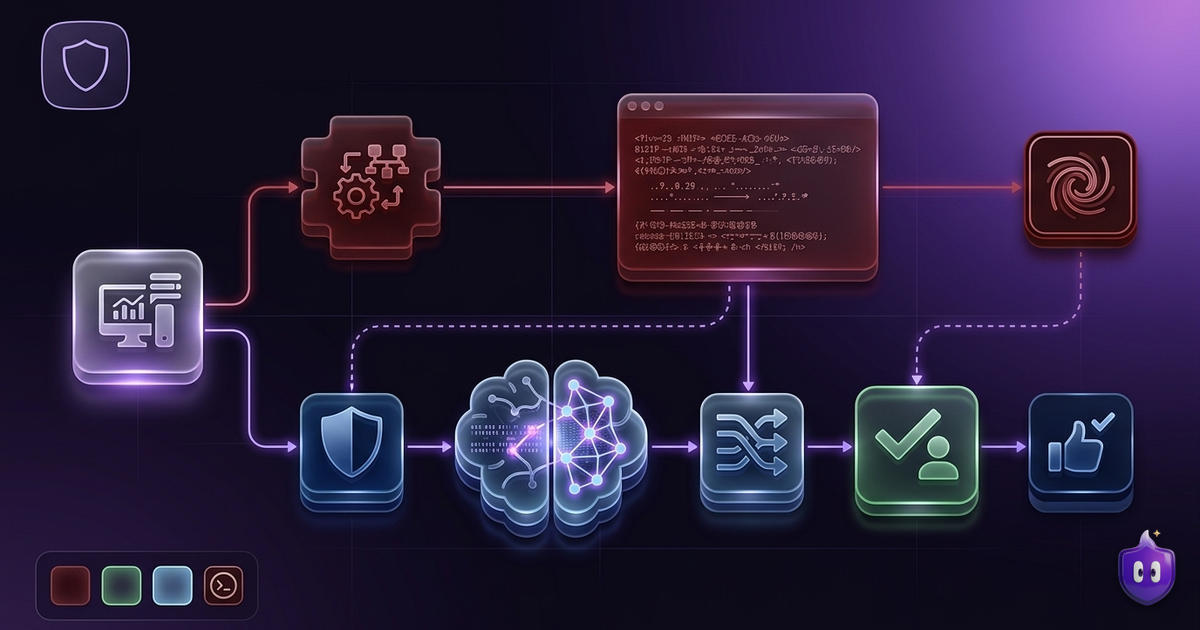
Every firewall that asks before an app goes online eventually shows you something like this: “Allow nsurlsessiond to connect to 17.253.x.x on port 443?” It is precise, it is honest, and for almost everyone it is unreadable. So people do the only reasonable thing: they click Allow, again and again, until the firewall is just a box that asks and never protects.
FireAI was built around one idea: the problem with firewalls is not the filtering, it is the conversation. So we put an AI between the raw connection and the question you are asked, and we kept that AI on your Mac.
Two ways to ask the same question
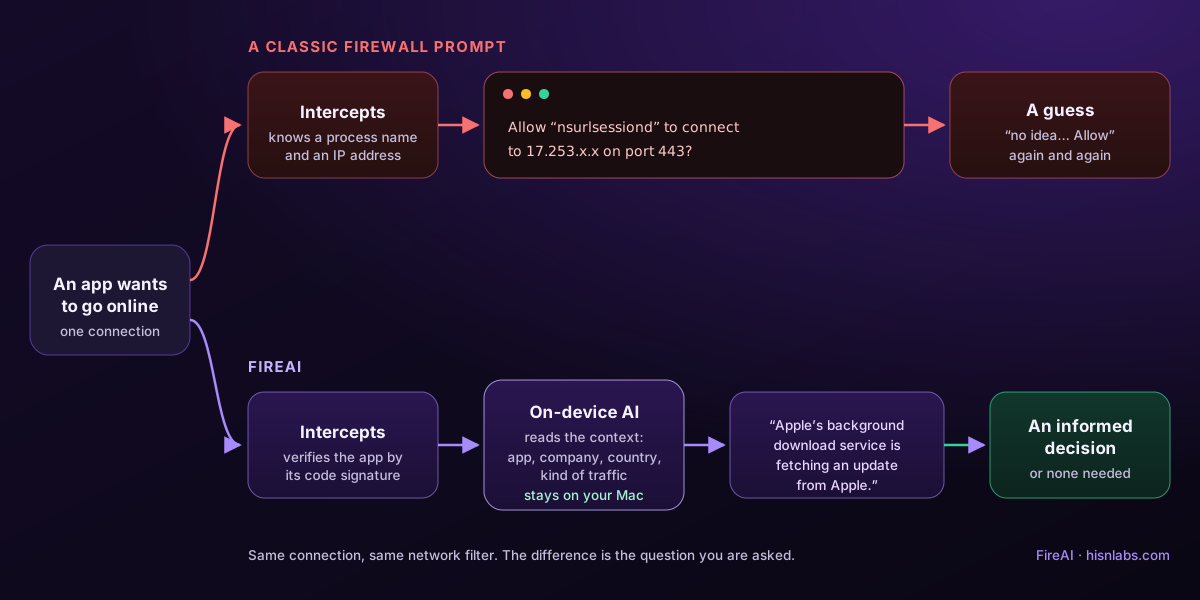
| Step | A classic firewall prompt | FireAI |
|---|---|---|
| An app wants to connect | Intercepts the connection | Intercepts the connection, in the same network filter |
| What it knows | A process name and an IP address | The app’s verified signature, the company behind the address, the kind of traffic, what this app usually does |
| What you see | “Allow nsurlsessiond to 17.253.x.x?” | A sentence in your language, e.g. “Apple’s background download service is fetching an update from Apple.” |
| What usually happens | A tired click on Allow | An informed Allow or Block, or no question at all when Autopilot is confident |
What happens between the connection and the sentence
- The app opens a connection. FireAI’s network filter pauses it before any data leaves the Mac.
- FireAI identifies the app by its code signature, not its name, so a fake “Safari” can’t borrow the real one’s rules.
- It works out who is on the other end: the company behind the address, the country, and whether the address is on a threat list you turned on.
- The on-device AI reads those facts and writes one plain sentence about what is going on, plus its reason when something looks off.
- You decide, with a one-click rule that follows the app. With Autopilot, FireAI answers the confident, everyday cases itself and leaves the rest to you.
Why the AI runs on your Mac
A security tool that sends your connection history to a cloud model would be part of the problem it claims to solve. FireAI’s filtering and its AI review run on the Mac: no traffic data is sent to us or to any cloud service. The optional language model behind Ask FireAI is downloaded once and then works offline, on Apple silicon.
What the AI does not do
- It does not decide in secret. Every AI decision becomes a visible rule you can undo in one click.
- It does not guess on the risky cases. Autopilot never auto-allows an unsigned app because it looks like another one, and a broken code signature always goes through the full check.
- It is not a threat list. Known-bad addresses come from threat feeds you choose to turn on; the AI explains, it does not invent verdicts.
- It can be wrong. Its explanations are written from the facts shown, and Investigate lets you check those facts and their sources yourself.
The point: fewer questions, better answers
A firewall people ignore protects no one. By turning every connection into something a person can understand in two seconds, and by answering the routine ones itself, FireAI asks less often and gets better answers when it does. That is the whole design: the rigor of a firewall, with a conversation anyone can follow.
Want to see it for yourself? Install FireAI, open an app you use every day, and read what it says. Start with your first connection prompt.
How FireAI and HisnLabs fit in
A firewall is only as good as the decisions you make with it. FireAI’s job is to make every one of them an informed one.
FireAI is HisnLabs’ own product: an on-device AI firewall for Mac. It shows every connection your apps make, in plain language, and lets you decide what leaves your Mac — its AI runs locally, so your traffic is never sent to us or anyone else. HisnLabs’ security research team is the group that keeps that decision-making accurate: cataloguing which domains are ordinary telemetry versus a real product, tracking the country and network behind a connection, and training the on-device model (its Autopilot feature) on real traffic patterns, all without any of it leaving your Mac.
You can read the technical decisions behind it, or try FireAI for 17 days, at FireAI, by HisnLabs.